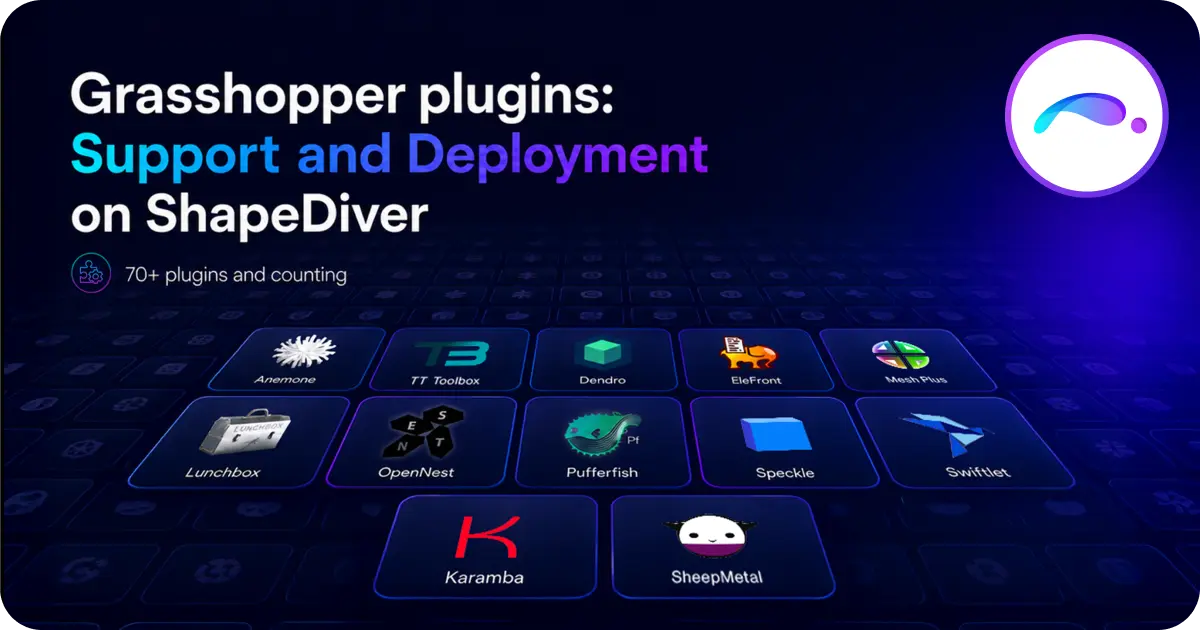
The third-party plugin ecosystem is one of the unique and powerful advantages of Grasshopper. With more than 70 plugins now supported on our servers, ShapeDiver has always strived to support the many contributions of the Grasshopper community. Read below everything you need to know about which plugins are supported and why, how to request a new one, how to build your own plugin in a compatible way, and the unlimited powers Enterprise users get with their own servers.
Which plugins de we support exactly?
Did we mention over 70 plugins already?
There, it's out.
And that's not counting the many ones installed on the private servers of Enterprise users (read more in the very last paragraph of this article).
If you have a ShapeDiver account, you can find in your dashboard the list of plugins supported on each backend system. The list varies a little, depending on the Rhino version (6, 7 and 8 are currently supported).
From classic plugins extending Grasshopper's data and geometry manipulation capabilities (Pufferfish, TT Toolbox, Anemone, Weaverbird), to digital fabrication tools (OpenNest for panel nesting, Silkworm for 3D printing), authoring bitmap, pdf and many more data formats (Bitmap+, Squid, Pdf+, Graphic+) and connecting to your favorite AEC platforms (Speckle, Skema...), there is something for everyone.
Working with Elefront, Telepathy, Bifocals, and other GH tools that help you organize and streamline your definitions? We also support many of them, such that there is no need to adapt your files before uploading to the servers.
How do we decide which plugins we support?
From the start, plugin support has been driven from ShapeDiver user requests. When uploading a file, our platform gives precise feedback about the plugins and components included in the definition which are not supported yet. We keep track of those events, meaning we have a good overview of the most popular plugins our users work with. Sometimes, users contact us directly to request a specific plugin.
That's when the evaluation process starts.
First and foremost, we want to run secure and stable servers. As a consequence, we run a thorough review process for each plugin we install, making sure they follow clean development practices.
Thankfully, since McNeel released the package manager (officially with Rhino 7), good practices for plugin development have spread. In particular, deploying a plugin on the package manager comes with careful version control, which is a key point for deployment on ShapeDiver as well. For other important best practices, plugin developers are welcome to have a look at the article we wrote about the topic. Following this advice is a good way to make sure your plugin can be supported by ShapeDiver - and on any Rhino.Compute based environment by the way!
However, being a lawful developer is not always enough... Running plugins on remote servers involves some hard limitations in terms of plugin behaviour and functionality. Custom UIs in Grasshopper, access to the local file system, referencing an active Rhino document... Those are all operations to prohibit as soon as Grasshopper runs remotely as a standalone geometry engine!
A typical example, and one that really breaks multiple rules at once, is Galapagos. The plugin works with an extra UI layer which can not be controlled remotely, and triggers multiple computations of the definition without a deterministic way to know when it is done.
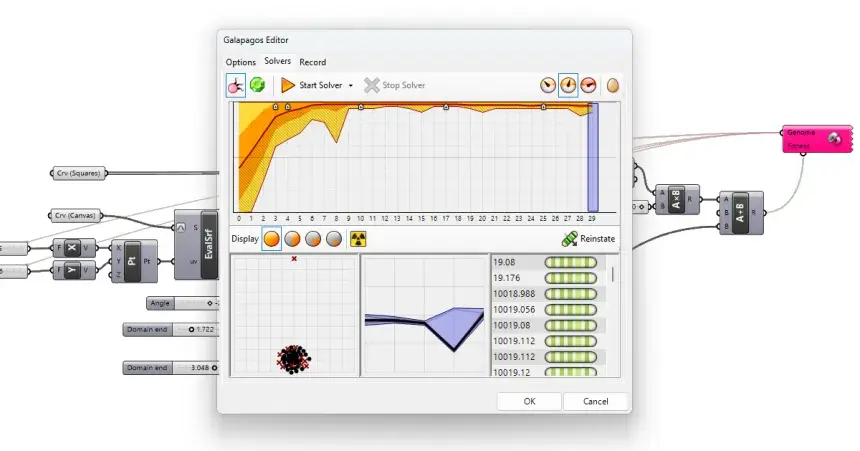
We wrote extensively about those limitations in the past, and most of them become obvious when one keeps in mind the architecture of cloud computing. They are not limited to plugins, by the way; some vanilla Grasshopper components are also forbidden.
Partial plugin support
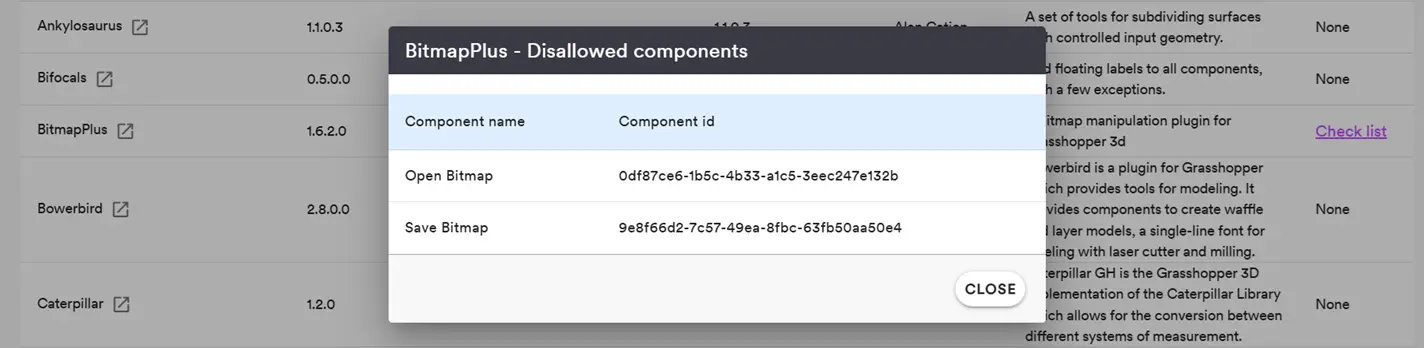
However, ShapeDiver performs model checking on a per-component basis! In other words, we can often provide partial support for plugin components, while blocking the incompatible ones. In fact, most of the plugins we support fall in this category.
In the backend section of your ShapeDiver dashboard, you can always see the list of forbidden components for a given supported plugin. If you are not sure why a specific component is forbidden, feel free to get in touch and make your case for it!
What about professional plugin licenses?
ShapeDiver currently supports four licensed professional plugins:
- Geometry Gym, the BIM interoperability plugin that allows to generate and exchange IFC data
- SheepMetal, for designing and preparing sheet metal parts.
- Karamba, the classic parametric engineering tool implementing FEA analysis in Grasshopper
- Beaver, a plugin for Timber design itself extending some of the Karamba tools.
Those powerful plugins all come with specific commercial licenses, and therefore their usage on ShapeDiver depends on the agreements we made with their developers. Most of them can be unlocked through an extra yearly license fee for cloud usage. Sometimes, like in the case of Beaver, they are free to use on ShapeDiver; owning a local license is all you need.
If you are interested in using any of these plugins on ShapeDiver, please contact us directly! We are in talks with other developers to extend our professional plugin offer, don't hesitate to ask if you need a specific one. Seeing demand for these workflows always helps us get to an agreement faster with plugin developers!
The Enterprise way: full control of the plugin deployment pipeline
ShapeDiver offers Enterprise plans with dedicated servers and a custom plugin deployment pipeline. With an Enterprise system, not only do you get to decide which plugins get deployed on your system, you are also fully in charge of the deployment process, using a github-based workflow. Push updates when you need to, of either third-party plugins you need for your Apps or even the private plugins your team is developing on their own! Of course, we are here to support and discuss with you regarding safety and compatibility of the plugins you manage.

/f/92524/1200x630/7a931e00ad/cover.webp)
/f/92524/1423x870/bc20e9b447/10.webp)
/f/92524/1423x870/e9694e10e8/9.webp)