App Builder
Where you wire the in-app agent’s tools, no code.
App BuilderPlatform / Features
AI shows up in ShapeDiver in two distinct ways, and they serve different people. One is AI inside the apps you build: an assistant your users can talk to. The other is AI that helps you build: coding agents that write your ShapeDiver front end. This page covers both, starting with the one people ask about most.
The in-app AI agent is in preview.
The two kinds
It’s worth separating them, because they’re for different jobs. AI in your apps is for the people who use what you publish: an in-app agent they can chat with to drive a model. AI that helps you build is for you and your developers: coding agents that write ShapeDiver front ends for you. The rest of this page takes each in turn.

AI inside your appsPreview
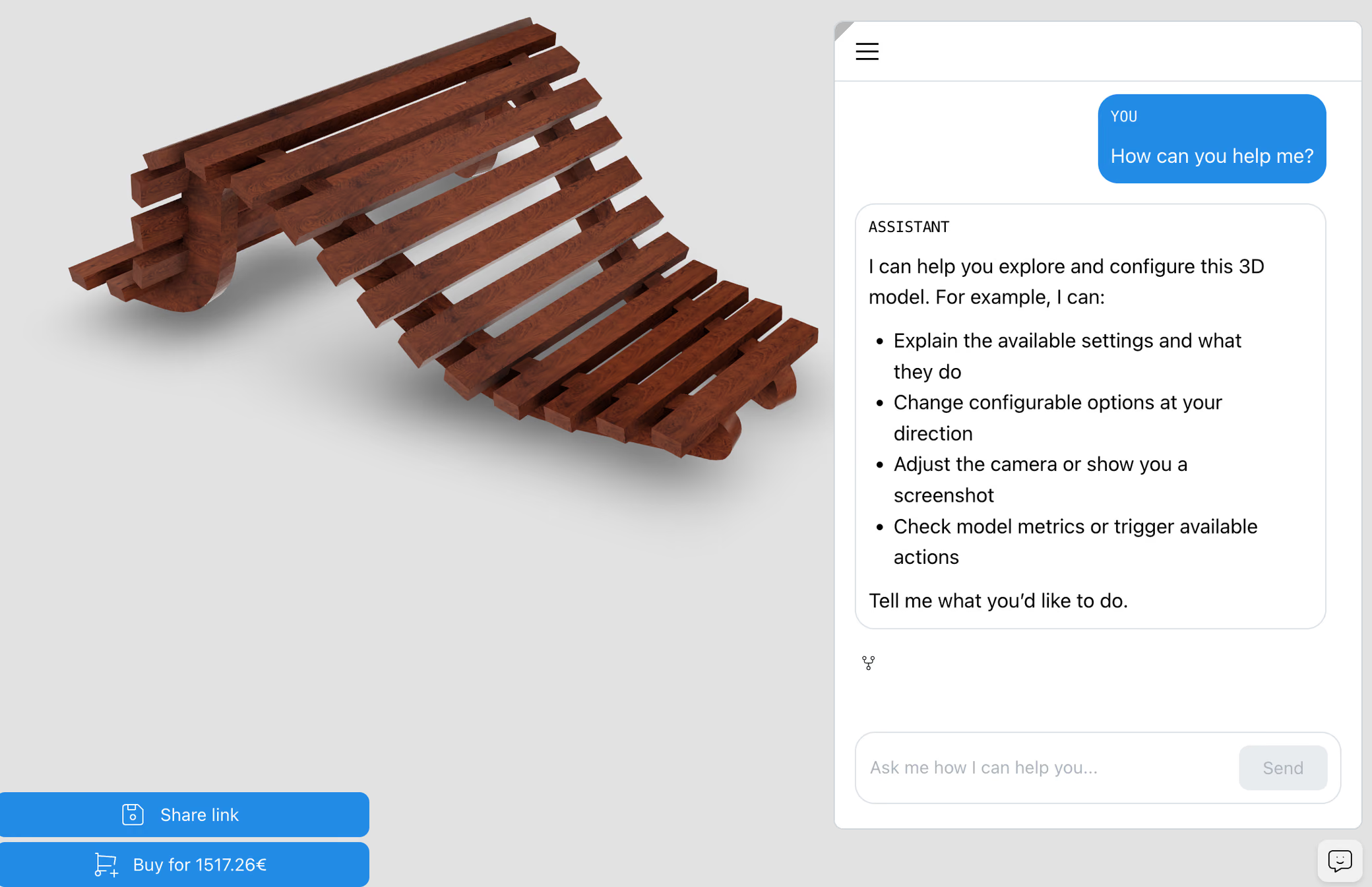
ShapeDiver’s in-app AI agent lets the people using your app change a model by describing what they want, instead of hunting through controls. Through a chat interface, the agent can adjust parameters, move the camera, and more - turning a plain-language request into the same actions someone would otherwise take by hand. It’s a new way in for people who know what they want but not which slider to reach for.
Note
The in-app AI agent is in preview - newly available, with more to come.
You decide what the agent can do
You decide what the agent is allowed to do. Its tools are defined in Grasshopper, the App Builder way, so the actions it can take are exactly the ones you wired up: which parameters it can change, what it can do in the viewer, and where it should stay out. And what it manipulates is your model, rendered in the ShapeDiver Viewer, so the results are the real thing, not an approximation.

AI that helps you build
On the building side, your own coding agent (GitHub Copilot, Claude Code, Cursor) can build a ShapeDiver front end for you. ShapeDiver’s open-source Agent Skills give it expert knowledge of the Viewer API, so the code it writes uses the API correctly. The Agent-assisted build page covers this in detail.
See agent-assisted buildWhere AI connects across ShapeDiver
Where you wire the in-app agent’s tools, no code.
App BuilderWhat the agent manipulates, and the API a custom front end drives.
3D ViewerBuild front ends in code with your AI coding agent.
Agent-assisted buildAI
Start a free trial and try the in-app agent on one of your own models - or talk to us about where AI fits in what you’re building. The docs cover the setup as the agent’s preview expands.