Auto-scaling Rhino and Grasshopper servers.
Compute spins up to meet demand, whether one person or a few thousand are using your app.
Platform
ShapeDiver runs the Grasshopper definitions you already build on our servers and turns their inputs and outputs into an app anyone can use in a browser - no Rhino license, no plug-ins, no web development. This page is the map: how you get from a definition to a running app, and everything the platform handles for you underneath.
14-day trial. No credit card.

The idea in one place
Everything below follows from a single idea. Your Grasshopper definition already holds the logic - the geometry, the rules, the outputs. What it’s missing is a way for other people to use it without Rhino or your plug-ins, and without you in the loop for every case. ShapeDiver supplies that: it runs the real Rhino and Grasshopper on our servers, exposes only the inputs and outputs you choose, and puts them behind an interface your colleagues, clients, or customers open in a browser. You keep building in Grasshopper; ShapeDiver makes the result available online.
The author workflow
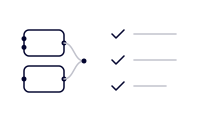
Install the free ShapeDiver plug-in and build your definition following our guidelines - the guidelines are what let the same definition run unattended in the cloud. Want a running start? Our library of example models gives you working Grasshopper definitions to open, upload, and adapt, from basic inputs and outputs to full App Builder apps.
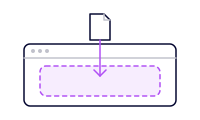
Drag the file into your browser, or send it straight from the Grasshopper canvas with the plug-in. If it follows the guidelines, it becomes a working online model in seconds.

Set up how the model looks and behaves - the viewer (lighting, camera, AR, post-processing), which parameters people can change and in what order, and who is allowed to see it. You do all of this in your workspace on the platform, where you manage and share everything you upload.
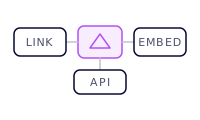
Send a link, embed the model in your own site, or drive it from your own application through our APIs. Update the definition later and everyone using it gets the new version.
Prefer to have the definition built for you? Our team can do that, and you own the result. Professional services
What you don't have to build
Serving a Grasshopper definition to real users, reliably, is a platform in its own right - and it’s the part you don’t have to build or maintain. Behind every model, ShapeDiver runs:
Compute spins up to meet demand, whether one person or a few thousand are using your app.
Results that have been computed before come back instantly instead of being recomputed.
The logic runs on our servers and is never exposed to the people using the app - they see only the inputs and outputs you chose.
SOC 2® Type II audited infrastructure, with cloud regions in the EU, the US, and Asia, and a 99% uptime record.
Compared with hosting Grasshopper yourself on Rhino.Compute, the difference isn’t mainly the running cost - it’s the implementation and ongoing maintenance you no longer take on.
Security & TrustTwo ways to build the interface
The app your users see (its controls, layout, and behavior) can be built two ways. Most people pick one and can mix in the other later.

No code
Build a complete app interface entirely from Grasshopper components: tabs, inputs, tables, charts, drawing tools, saved states. What you wire in Grasshopper is what your users see, with no web development. The best route if you want to ship a front end yourself.
App BuilderIn code
Prefer to work in code, or need a custom front end? Build configurators and engineering apps with your AI coding agent (Copilot, Cursor, or Claude Code) using our Agent Skills and the Viewer API. The best route for developer teams and deeper integrations.
Agent-assisted buildWhich one fits depends on your use case and your team - the deep pages help you choose.
Ways to deliver
However you build the interface, the same model can reach people three ways:
Send a private link that anyone can open in the browser, no ShapeDiver account required - optionally carrying a saved parameter state so it opens exactly as configured. Or share the model with specific ShapeDiver users and your team, granting each only the access you choose: view, export, download, and more. The definition itself stays hidden either way.
Drop the model into your own website or app with an embed code or a model ticket, so it lives under your brand.
Use our backend and viewer APIs, with SDKs for TypeScript, .NET, Python, and PHP, to run computations and pull results into your own application, store, or ERP.
Selling online? The same delivery layer connects to Shopify and WooCommerce, and to tools like Speckle, Autodesk Forma, VIKTOR, and iJewel3D.
APIs, SDKs & integrationsThe whole platform, at a glance
This page is the overview. Each part below has its own page with the detail.
Your workspace on the platform: upload, organize, version, share, and configure your models, and create embeds.
WorkspaceThe ShapeDiver plug-in that connects Grasshopper to the platform: build to the guidelines and upload straight from the canvas.
Grasshopper plug-inBuild a full app interface without code, entirely in Grasshopper.
App BuilderBuild front ends in code with your AI coding agent, using Agent Skills and the Viewer API.
Agent-assisted buildAn open-source WebGL viewer for Grasshopper output, with a full JavaScript API.
3D ViewerBackend and viewer APIs, SDKs, and the integration set for connecting ShapeDiver to everything else.
APIs, SDKs & IntegrationsAn in-app agent your users can talk to, with the tools it can call defined in Grasshopper.
AISOC 2 Type II, SSO, and a permissions system that keeps your definitions private.
Security & TrustFrom the blog
Rhino Compute or ShapeDiver? What running Grasshopper online takes: servers, Rhino licenses, uptime, IP protection, scaling, performance, and SDKs.
ShapeDiver
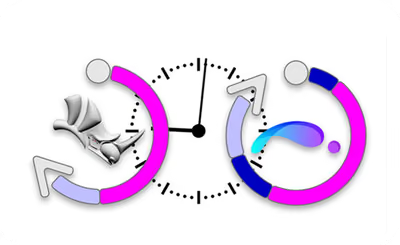
Why a Grasshopper model responds differently online than in Rhino: the four steps from a parameter change to the new 3D view, caching included.
ShapeDiver
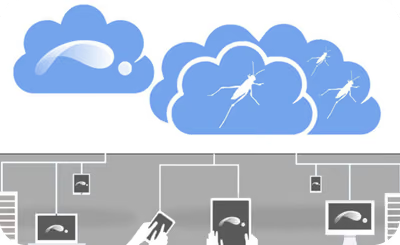
CTO Alex Schiftner on how ShapeDiver began in 2015 and how it runs Grasshopper in the cloud at scale: dispatching, the three principles, and caching.
 Alex Schiftner
Platform
The fastest way to understand ShapeDiver is to upload a definition and watch it become an app. Start a free trial (no credit card) or talk to us if you’d like help deciding whether it’s the right fit.
Not sure which solution you’re building? Start from your problem instead: Scan-to-print, AEC, Product configurators or Consultants & studios.
