Everyone who has worked on a Spaghetti-monster that calls itself a Grasshopper project knows, testing Grasshopper files is a pain. Even for the most well-maintained projects, at some point you’ll change something which will break something else in that one specific scenario you didn’t think about.
At ShapeDiver, our projects team has the exact same issues. For these complex projects, you cannot just test everything manually all the time, so therefore, unfortunately, sometimes things broke.
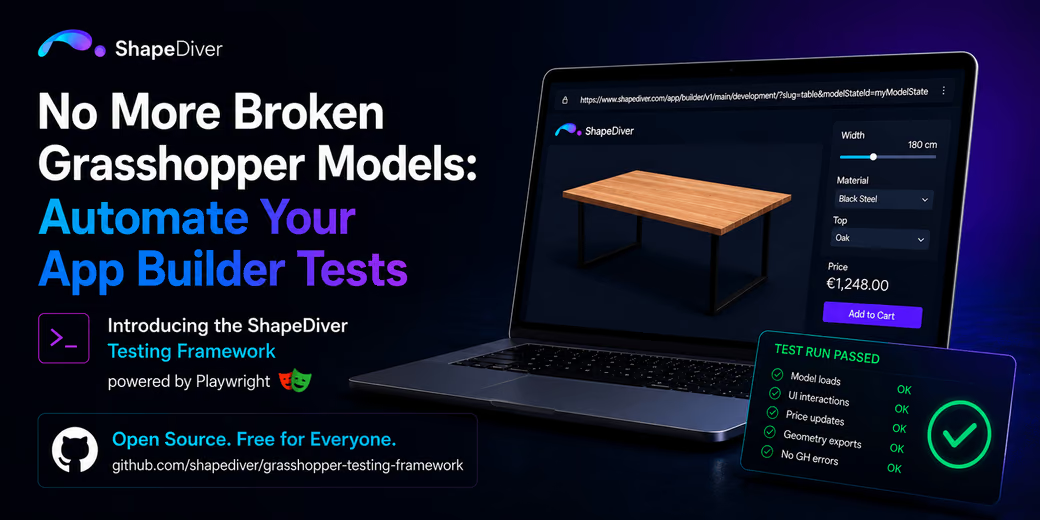
But now we have a solution for this! We are proudly introducing our App Builder Testing Framework. It is completely open-source, free, and ready for everyone to use. By leveraging the ShapeDiver App Builder framework, it is now possible to use complex browser testing capabilities on your models.
To make this as robust as possible, we built the framework on top of Playwright, the industry standard for testing web applications. We were already using Playwright internally to test how your model actually behaves in a real web browser with App Builder, exactly like a user would see it. Generalizing this framework for project use was just the next logical step.
How It Works
The setup is designed to get you up and running quickly, without forcing you to write massive, over-complicated test scripts.
1. Define Simple Scenarios (And Not-So-Simple Ones)
The testing framework takes full advantage of ShapeDiver’s URL parameters. This means you can supply slugs, theme files, model states, and much more. Basically, everything you would normally use in a production environment can be reproduced in your tests.
Let’s say you want to test a highly specific scenario, like a desk set to 180cm width with a black steel frame. You just define those parameters directly in your test URL via a model state. Playwright spins up a headless browser, goes straight to that configuration, and takes a screenshot as a baseline. In future uses of the testing framework, the baseline will be compared to the current screenshot results to rule out any regressions.
2. Simulate Real User Interactions
Static testing is great, but models are meant to be played with. With Playwright, you can easily script real, dynamic user interactions. You can write tests that:
- Move a slider from its minimum to its maximum value.
- Select a different material from a dropdown menu.
- Click directly on a specific coordinate of the 3D viewer canvas.
- Trigger export buttons to generate production files.
3. Automatically Validate the Results
Once the interaction happens, the framework asserts that the model actually did what it was supposed to do. You can automatically check:
- Does the model still look like I expect it to? (Done via screenshot vs. baseline comparison)
- Did the price tag update to the correct number? (Done via output comparisons)
- Is the generated DXF, STEP, or PDF file actually available for download? (Done via export comparisons)
Never Break a Model Again
With this setup, you can now just rerun your Playwright test suite whenever you like to check if your current Grasshopper model still fulfills all of the criteria you need it to.
Go ahead and refactor that messy cluster, delete those weird workaround components, or add major new features. Run your tests. If something breaks, you will catch it instantly in your terminal, long before your users ever do.
Ready to stop manually debugging your spaghetti monsters?
Check out the code, look at the example setups, and grab the installation guide over on the ShapeDiver Grasshopper Testing Framework GitHub Repository! As this is just the first iteration of this framework, feel free to give us feedback.
App Builder
App Builder turns a Grasshopper definition into a complete web app, with the interface built from components on the canvas.